Popular Hooks in React
2022-01-01
Hooks let you use state and other React features without writing a class. They are a great way to share state between components. Hooks let you use different React features from your components. You can either use the built-in Hooks or combine them to build your own. Here we'll look at some of the most popular built-in Hooks in React.
useState Hook
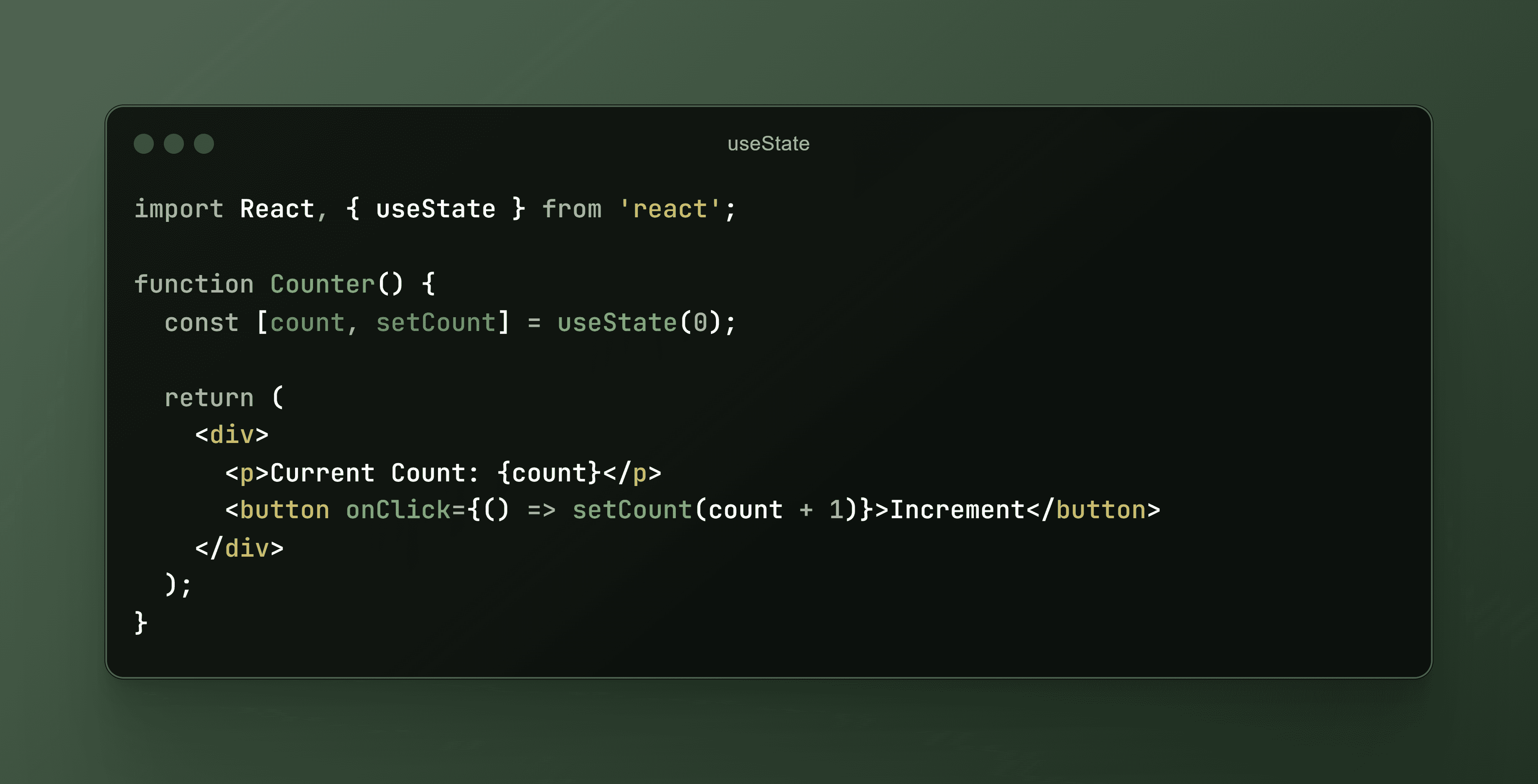
useState hook is one of the State Hooks in react which allows the user to add state to functional components. State lets a component remember information it needs to know and that it should re-render when certain values change. This example shows a simple counter where the state (count) starts at 0 and increments when the button is clicked. setCount is the function to update the state.
useEffect Hook
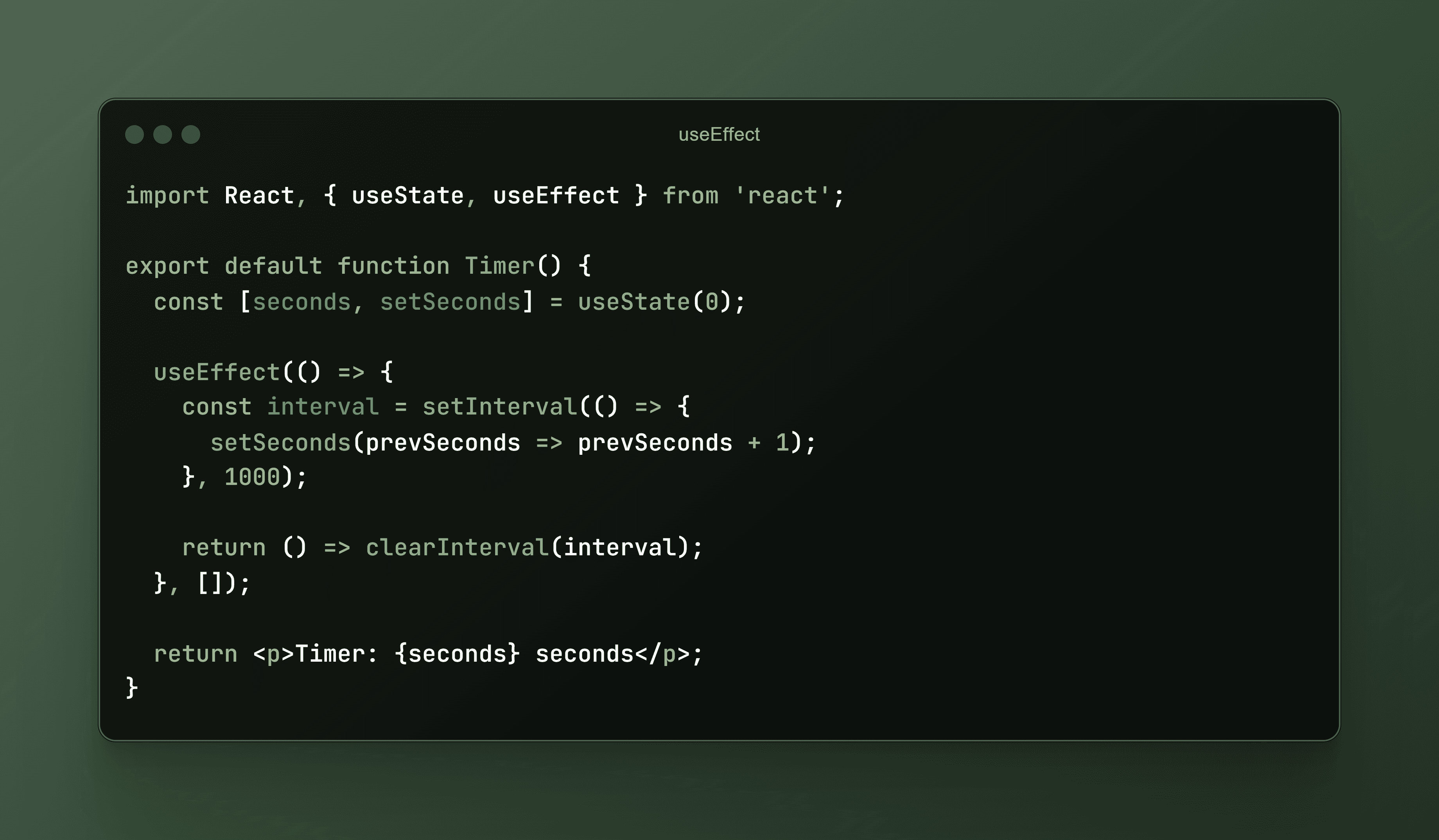
Effects let a component connect to and synchronize with external systems. This includes dealing with network, browser DOM, animations, widgets written using a different UI library, and other non-React code. This example uses useEffect to create a timer that updates every second. The useEffect hook is responsible for starting the timer when the component mounts and cleaning up when it unmounts.
useContext Hook
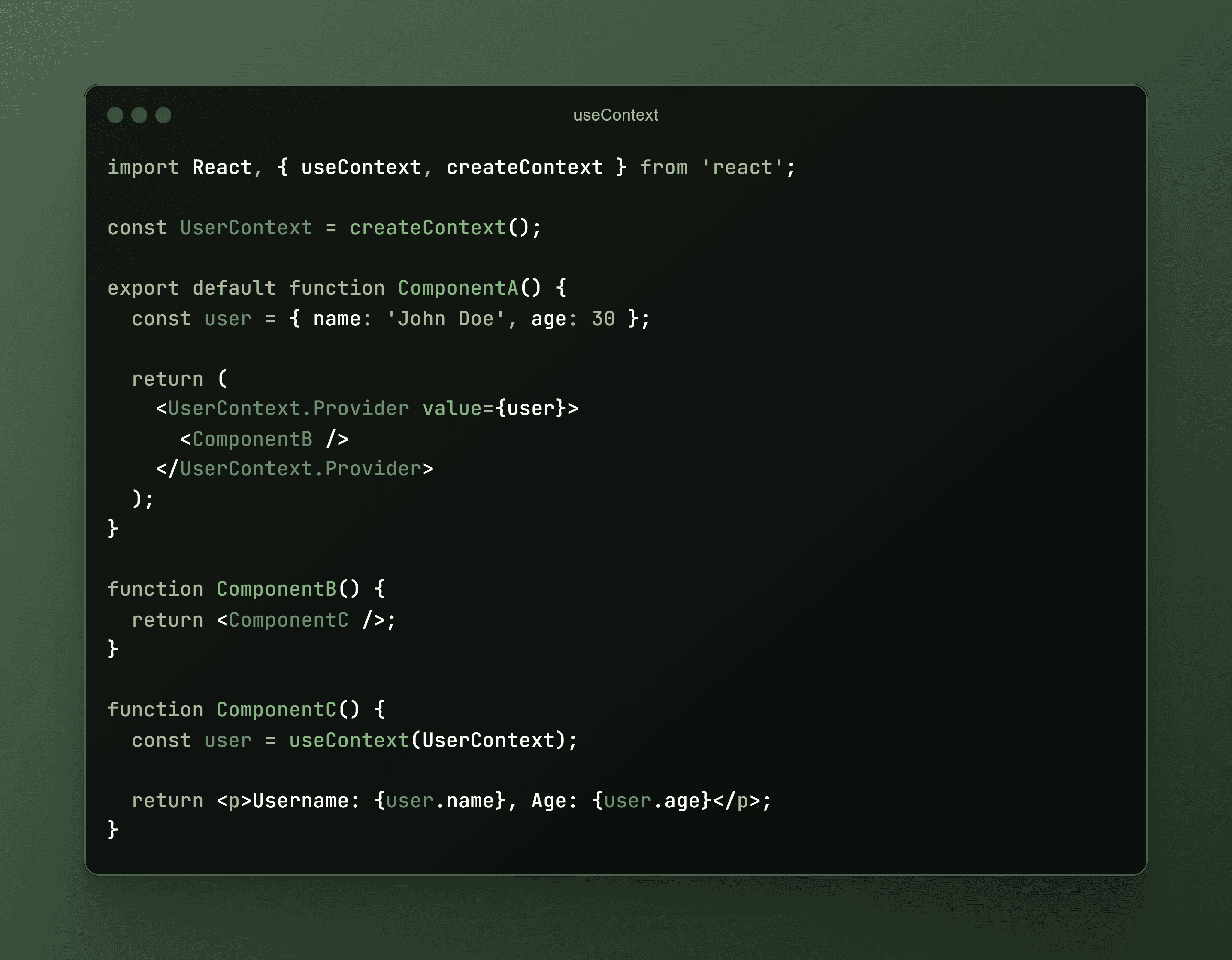
Context lets a component receive information from distant parents without passing it as props. For example, your app's top-level component can pass the current UI theme to all components below, no matter how deep. This removes the 'Pop Drilling' problem which can be extrimely annoying. The useContext hook is responsible for passing the theme to the top-level component and works as a Global Provider.Here, in the provided code snippet, useContext provides a user object to deeply nested components (ComponentC) without passing it as a prop through every layer of the component tree.
useReducer Hook
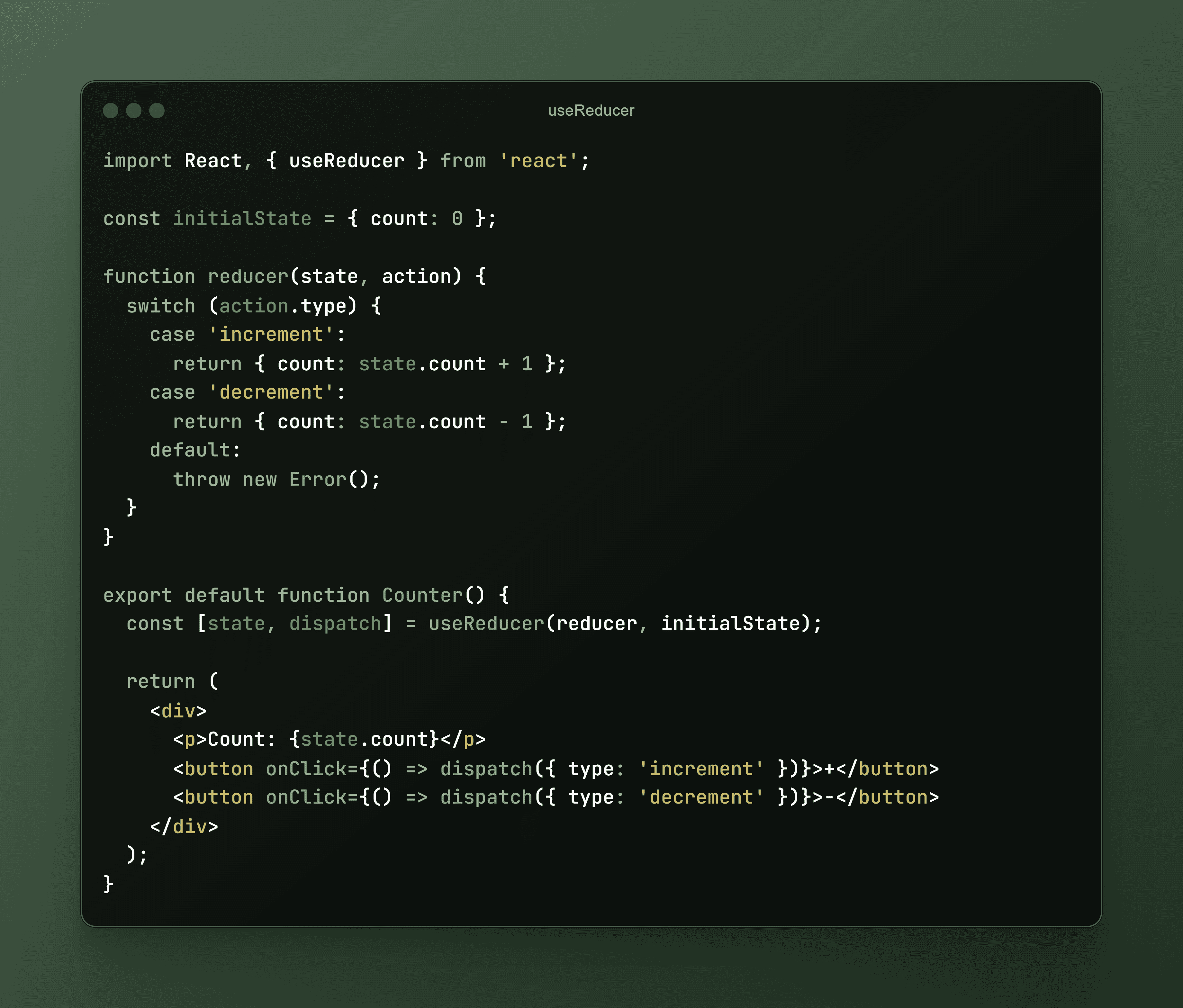
This is another one of the State Hooks in React. useReducer is like useState, but for more complex state logic. It is often used when state transitions depend on more complex actions. useReducer returns an array with exactly two items: the current state which provides as the name suggests, the current value of the state and the dispatch function that lets you change it in response to interections with your application. It is used in combination with the reducer hook. This example uses useReducer to implement a counter. The reducer function manages different actions (increment, decrement) that alter the state.
useRef Hook
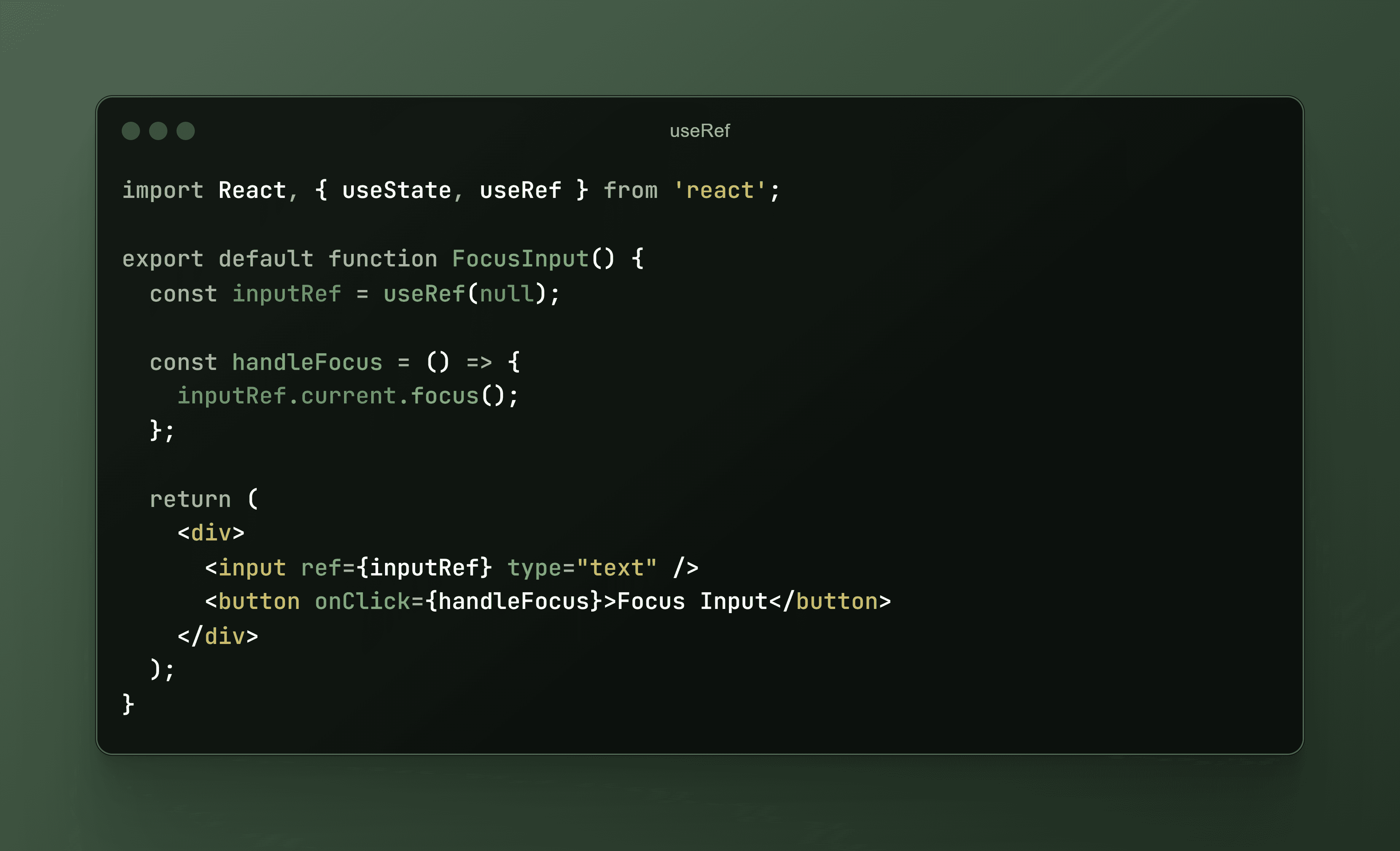
Refs let a component hold some information that isn't used for rendering, like a DOM node or a timeout ID. Unlike with state, updating a ref does not re-render your component. Refs are an “escape hatch” from the React paradigm. They are useful when you need to work with non-React systems, such as the built-in browser APIs, creating animations etc. In this example, useRef is used to access a DOM element (input) directly, allowing the button to programmatically focus the input field without causing a re-render.
useOptimistic Hook
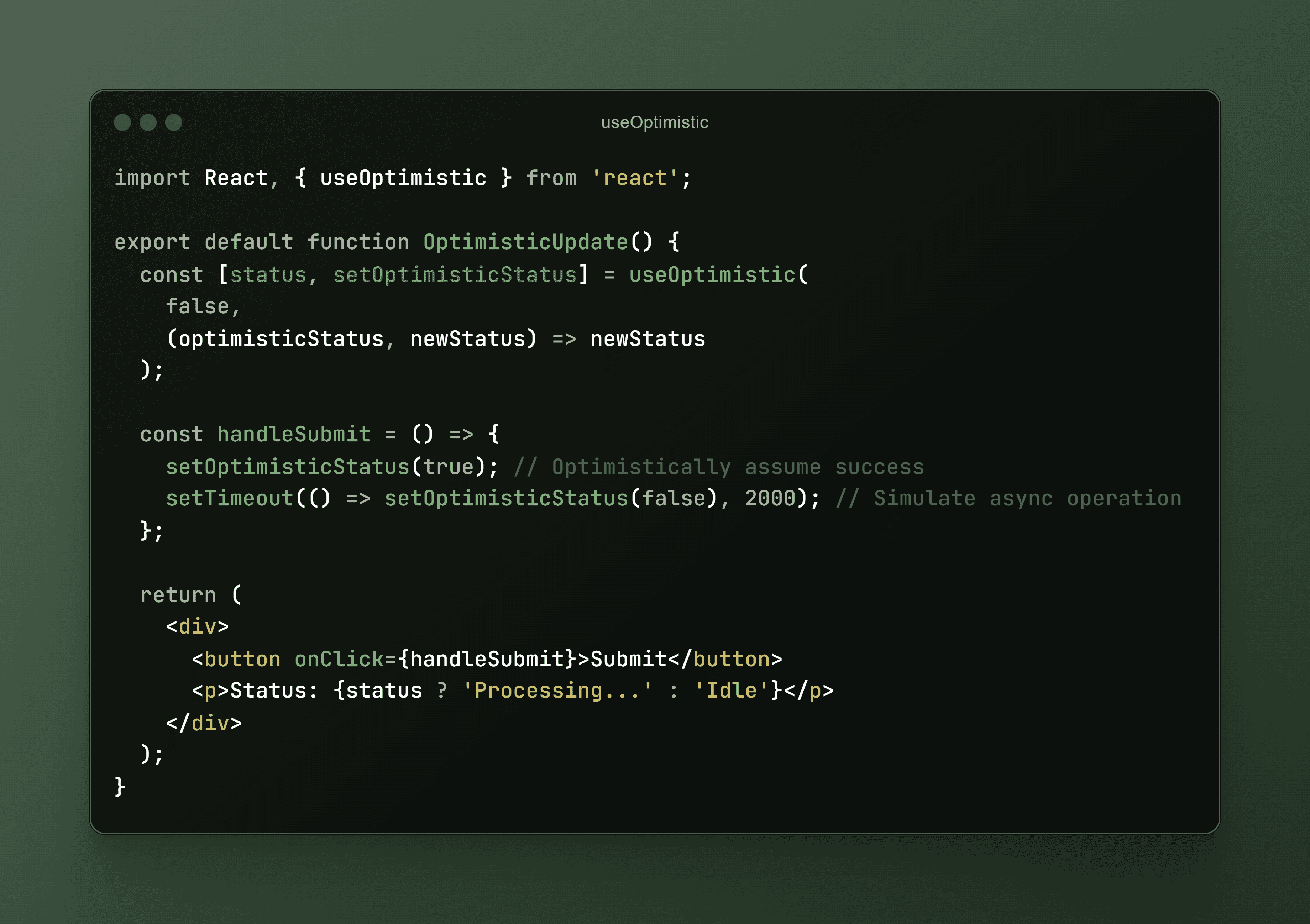
useOptimistic is a React Hook that lets you show a different state while an async action is underway. It accepts some state as an argument and returns a copy of that state that can be different during the duration of an async action such as a network request. You provide a function that takes the current state and the input to the action, and returns the optimistic state to be used while the action is pending. This state is called the “optimistic” state because it is usually used to immediately present the user with the result of performing an action, even though the action actually takes time to complete. Here, useOptimistic is used to update the UI as if an operation has succeeded (e.g., submission), even before the real result from the backend is received.